Artwork & Performance
Nokkvi uses a server-only artwork pipeline — images are fetched directly from Navidrome on demand and kept in an in-memory GPU texture cache. There is no local disk cache for browsing artwork. (The MPRIS integration writes a per-track mpris-art-<pid>-<cover-id>.jpg (the previous one is removed on each song change, so it’s ~one file at a time) to $XDG_CACHE_HOME/nokkvi/ so D-Bus clients can read the now-playing cover via file:// without leaking your Subsonic credential — that’s the only standalone artwork file Nokkvi writes. Remembered radio-station art is also kept on disk, but as bytes inside Nokkvi’s local state database rather than a separate image file.)
How Artwork Works
Section titled “How Artwork Works”When an album comes into view, Nokkvi fetches the image directly from your Navidrome server and decodes it into a GPU texture handle. Two in-memory LRU caches keep recent images warm: a thumbnail cache holds up to 1024 slot-row thumbnails, and a panel cache holds up to 200 full-size images for the large artwork panel. Browsing a section of your library you visited recently has zero network overhead.
Thumbnails in list views are populated around the visible viewport — items well outside the visible area aren’t pre-loaded.
The Artwork Panel
Section titled “The Artwork Panel”The large artwork panel sits alongside most library views — Albums, Songs, Queue, Artists, Genres, Playlists, Radios, and the Similar tab in the Library Browser (it also appears in the playlist editor). It shows the cover for whichever row is centered, falling back to a 3×3 collage in Genres or Playlists when the focused item spans multiple albums. On the Radios view it shows the station’s artwork.
A playlist’s own cover can be set or reset from the editor’s edit-bar thumbnail once the playlist has been saved.
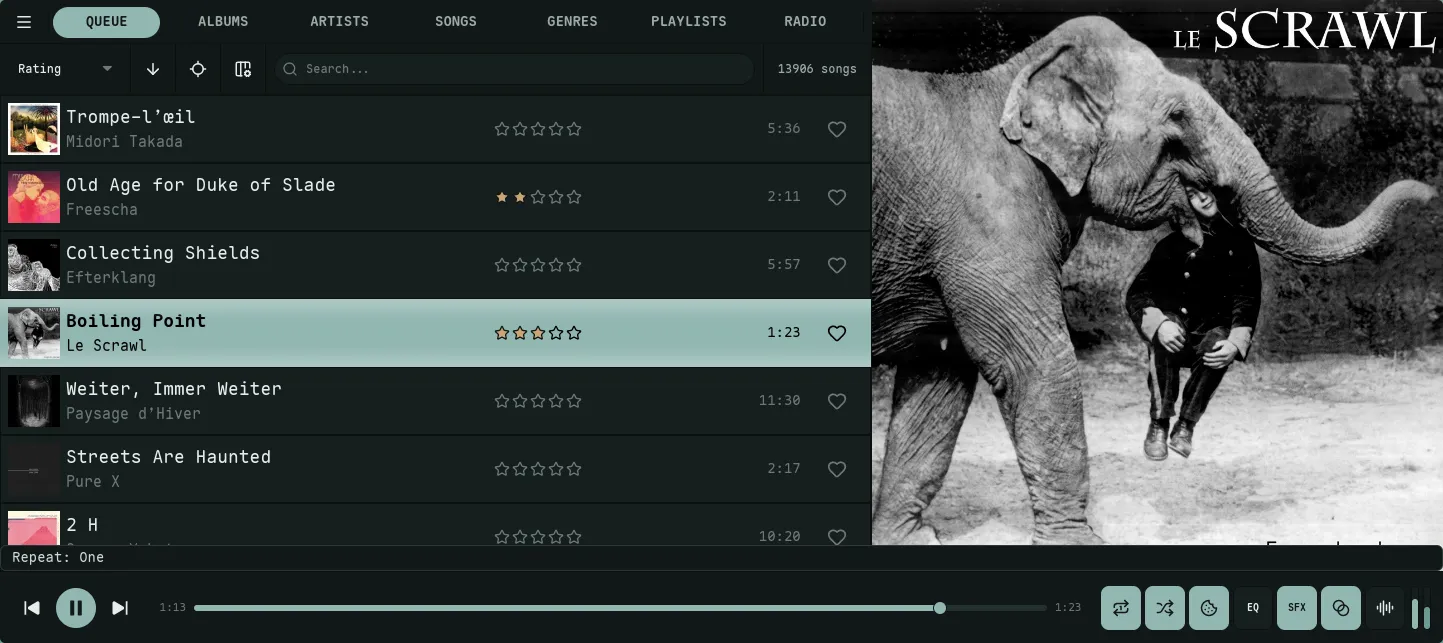
Artwork sits beside the slot list. Used by always_native, always_stretched, and auto on wide windows.
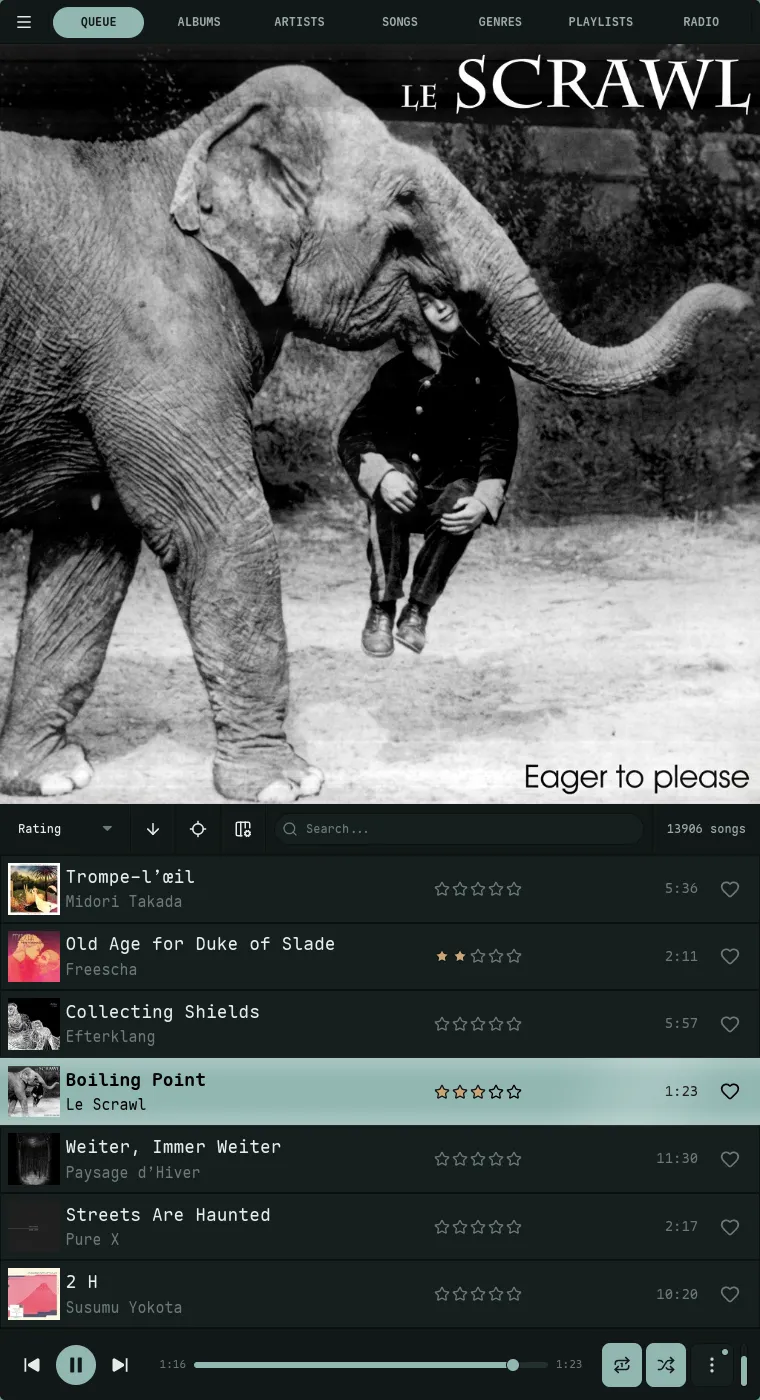
Artwork stacks above the slot list. Used by always_vertical_native, always_vertical_stretched, and auto on tall windows.
How it sizes and whether it shows up is controlled by artwork_column_mode:
| Mode | Behavior |
|---|---|
auto (default) | Size is derived from window dimensions — up to artwork_auto_max_pct × window width, capped at 1000 px. Hides when the remaining slot-list width would drop below 800 px. On tall windows, artwork stacks vertically above the slot list instead — sized edge-to-edge to the window width (capped at 1000 px). Here artwork_auto_max_pct × window height acts as a threshold: the vertical panel only appears when that value is at least the window width (otherwise it would letterbox, so it stays hidden). It also hides when fewer than 400 px of height would remain below it. |
always_native | Always visible at a fixed fraction of window width. The image stays square and letterboxes vertically if the column is taller than wide. |
always_stretched | Always visible at a fixed fraction of window width. The image fills the column non-square per artwork_column_stretch_fit — cover crops to fit, fill distorts. |
always_vertical_native | Always visible; artwork stacked above the slot list at a fixed fraction of window height. The image stays square, letterboxed horizontally as needed. |
always_vertical_stretched | Always visible; artwork stacked above the slot list at a fixed fraction of window height. The image fills the rect per artwork_column_stretch_fit — cover crops, fill distorts. |
never | Column is always hidden. |
always_native and always_stretched show a drag handle between the artwork and the slot list — drag horizontally to resize; the new fraction is saved to artwork_column_width_pct (clamped to 0.05–0.80). always_vertical_native and always_vertical_stretched show a drag handle below the artwork — drag vertically to resize; the new fraction is saved to artwork_vertical_height_pct (clamped to 0.10–0.80). auto sizes itself, so there’s no handle.
Artwork Quality
Section titled “Artwork Quality”The artwork_resolution setting controls the size requested for large panel artwork (the full-size view when an album is focused):
| Option | Requested Size |
|---|---|
default | 1000 px |
high | 1500 px |
ultra | 2000 px |
original | Full resolution |
Thumbnails in list views always use a smaller size regardless of this setting.
Navidrome Server Settings
Section titled “Navidrome Server Settings”Because Nokkvi keeps no disk cache for browsing artwork, your Navidrome server does the heavy lifting of serving and resizing artwork. Two settings in navidrome.toml are worth tuning — both are documented in Navidrome’s available options reference:
ImageCacheSize
Section titled “ImageCacheSize”The default 100MB cache is too small for large libraries and will cause the server to re-process images on every fetch. Set it to at least 1500MB:
ImageCacheSize = "1500MB"CoverArtQuality
Section titled “CoverArtQuality”Navidrome encodes artwork at quality 75 by default. The format depends on your setup: standalone binaries use JPEG, while Docker builds use WebP (native libwebp is bundled). Either way the quality value applies to both formats, and 75 is visibly lossy at the large panel sizes Nokkvi requests (up to 2000px):
CoverArtQuality = 90If you want to explicitly control the format, Navidrome exposes EnableWebPEncoding. On non-Docker installs it defaults to false (JPEG/PNG); set it to true to opt in to WebP:
EnableWebPEncoding = trueUpdating Artwork
Section titled “Updating Artwork”If you update a cover in Navidrome and want Nokkvi to reflect the change, right-click the artwork panel in the Albums, Songs, or Queue view and select Refresh Artwork. This evicts the cached image and fetches the latest version from the server.
Radio stations work differently — right-click a station in the Radios list and choose Refresh Artwork to forget its remembered stream art and re-capture it.